

The article describes how ZAP can help new and experienced security testers investigate how websites are secured and compromised.

Since Kali Linux already has most of the security tools, it served as the primary environment for this experiment. DVWA (Damn Vulnerable Web Application) was set up as a deliberately weak web app for vulnerability testing. Next, set up OWASP ZAP, one of the most widely used open-source web scanners.
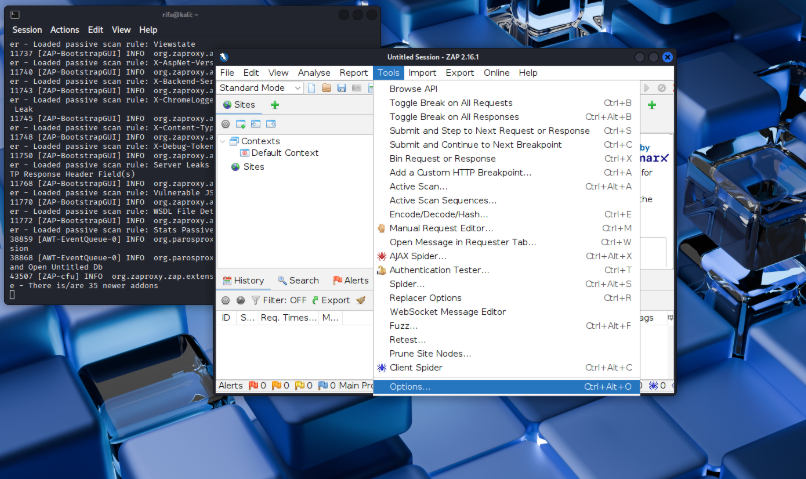
ZAP was installed using the command “sudo apt install zaproxy”.
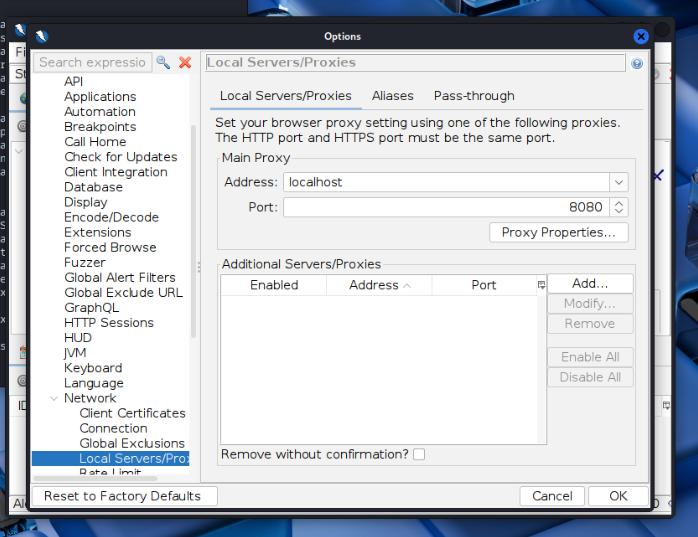
On port 8080, ZAP is operating as a proxy. The browser was configured to use ZAP (localhost:8080) to send traffic.
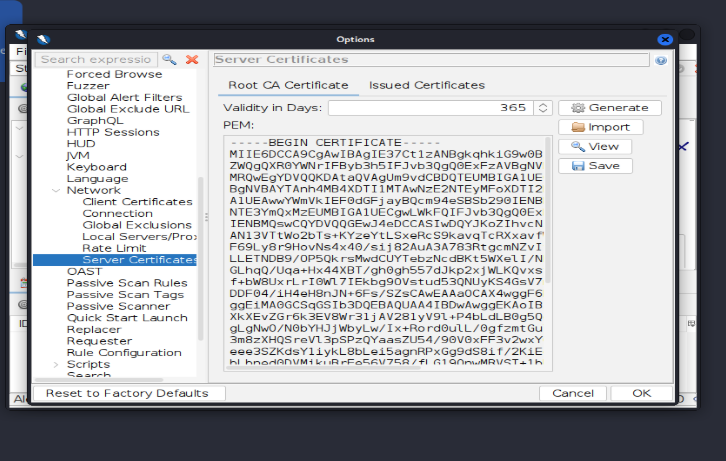
Shows the certificate details and options to generate ZAP’s root certificate.
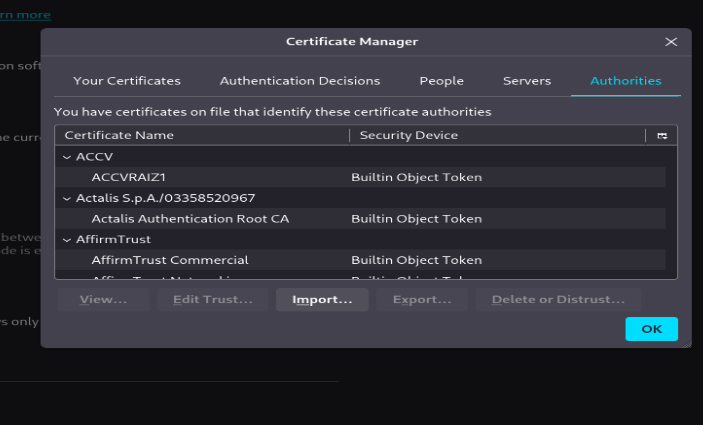
ZAP’s root CA is displayed in Certificate Manager as a trusted authority.
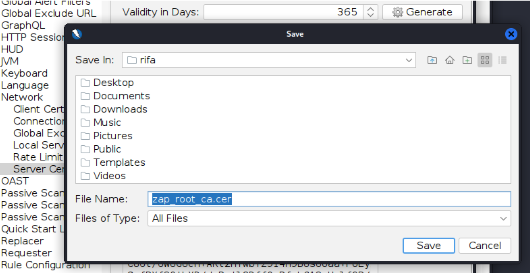
displays the save dialog box where the ZAP root certificate file is being stored.
In order for the browser to support HTTPS, ZAP’s root certificate was installed, and the proxy is set to 127.0.0.1:8080, so all traffic passes through ZAP before opening http://localhost/dvwa.
ZAP was launched after installation and the browser configured to use the local proxy at 127.0.0.1:8080. This indicates that all browser traffic passes through ZAP before arriving at DVWA.
Then use: http://localhost/dvwa to launch DVWA in the browser.
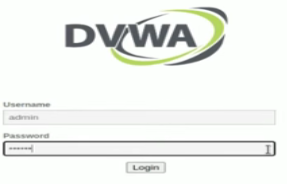
DVWA login page asking for username and password.
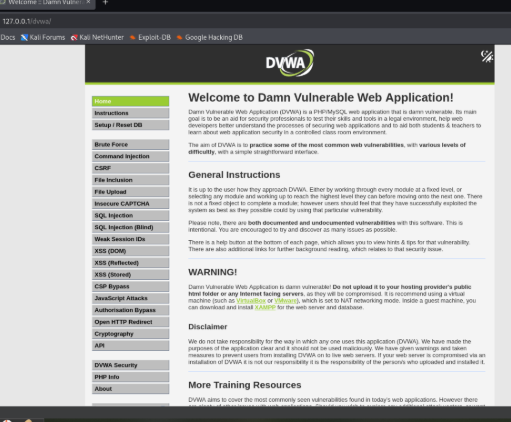
The DVWA main page displays a menu of vulnerabilities, warnings, and instructions.
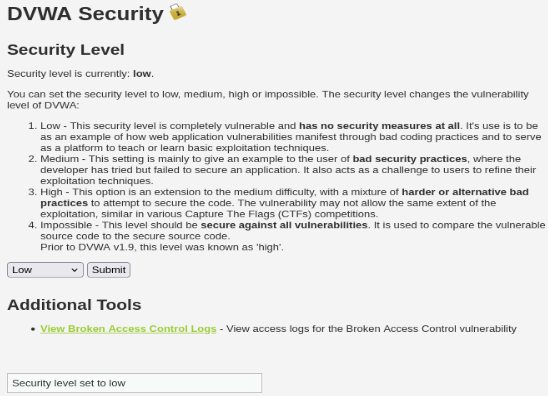
To make testing simpler, the DVWA security level is set to low. The setup at this time was as follows: ZAP Proxy → DVWA Server → Browser
Step-by-Step Process:
1. Spider & Passive Scan DVWA: launched the Spider to map every input field and link.
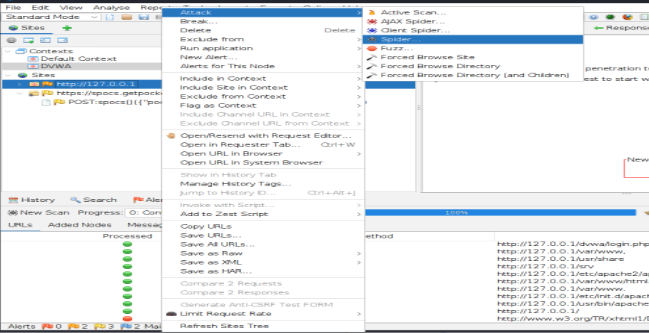
To launch the Spider on the DVWA site, use the context menu.
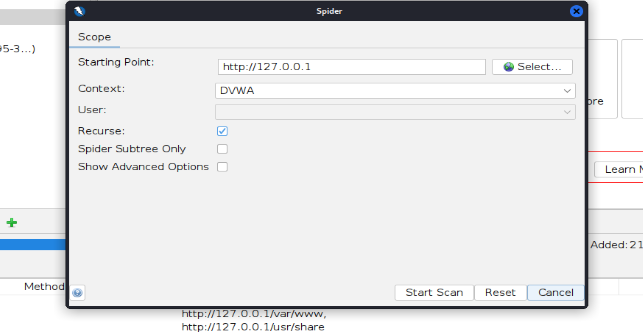
Spider dialog with context ‘DVWA’ and starting point http://127.0.0.1.
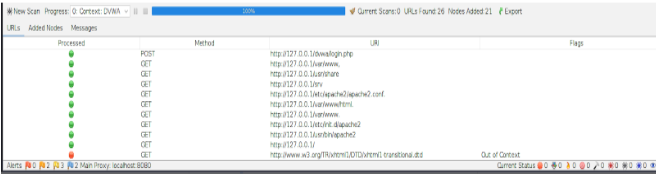
Progress and results list showing discovered URLs and input fields found by the Spider.
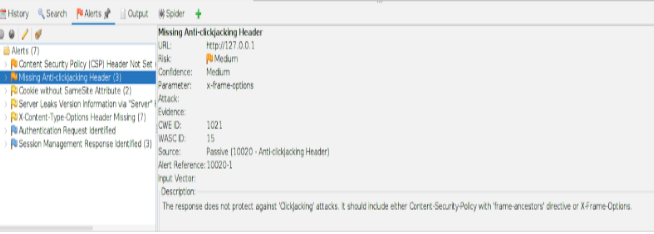
Passive problems like missing security headers were discovered by ZAP.
2. Active Scan & Attack:
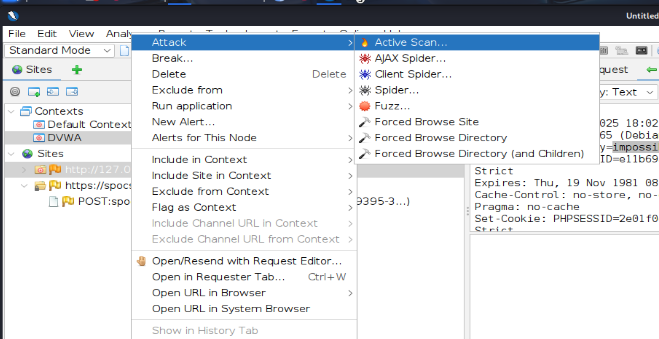
To actively check for vulnerabilities, started an Active Scan.
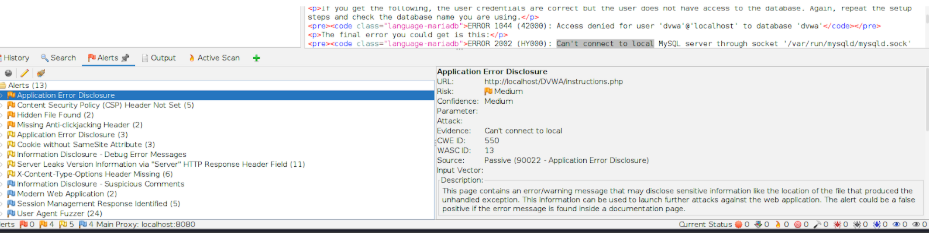
Check for possible vulnerabilities reported by active scans.
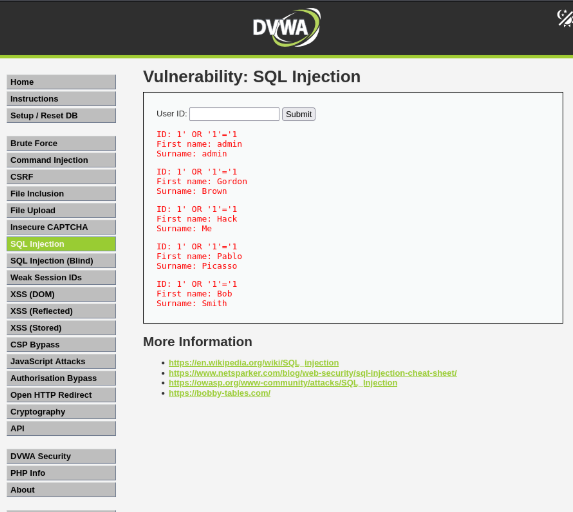
SQL injection verified that, instead of returning a single expected row, id=1′ OR ‘1’=’1 returned multiple records.
4. What was Challenging: After restarting Kali, the DVWA panel did not open and Firefox also stopped working. The problem occurred because the Apache2 and MySQL servers were automatically stopped when Kali was shut down. At first it seemed confusing because it seemed like a browser issue, but it was actually a server issue.
What was learned: DVWA depends on Apache2 and MySQL running in the background. When they stop, the site doesn’t load. If the apache2 status or mysql are disabled or not running even after starting them manually, then the database isn’t properly setuped. This issue was fixed by starting and testing both services using these commands:
- sudo service apache2 start
- sudo service apache2 status
- sudo service mysql start
- sudo service mysql status
These services now always start before opening DVWA. The report below was generated by ZAPPROXY active scan. Click below to view:
2025-10-25-ZAP-Report-
For this project, OWASP ZAP was used to scan and test a vulnerable web application (DVWA). This tool was able to automatically identify a number of security vulnerabilities, including missing headers and data leaks. Manual testing on one of the login requests was attempted in order to understand how real-world attacks, such as SQL injection, operate.
This method demonstrated how automated tools can quickly detect vulnerabilities but manual testing is necessary to confirm the actual risk. All things considered, ZAP is an excellent resource for learning about web security testing, understanding how vulnerabilities are revealed, and engaging in safe ethical hacking in a lab environment.